
Scan it. Sign it. Send it.
Without the watermarks.
A privacy-first PDF scanner. Everything runs on your phone — and it's free while we're in beta.
Everything from scan to signed PDF.
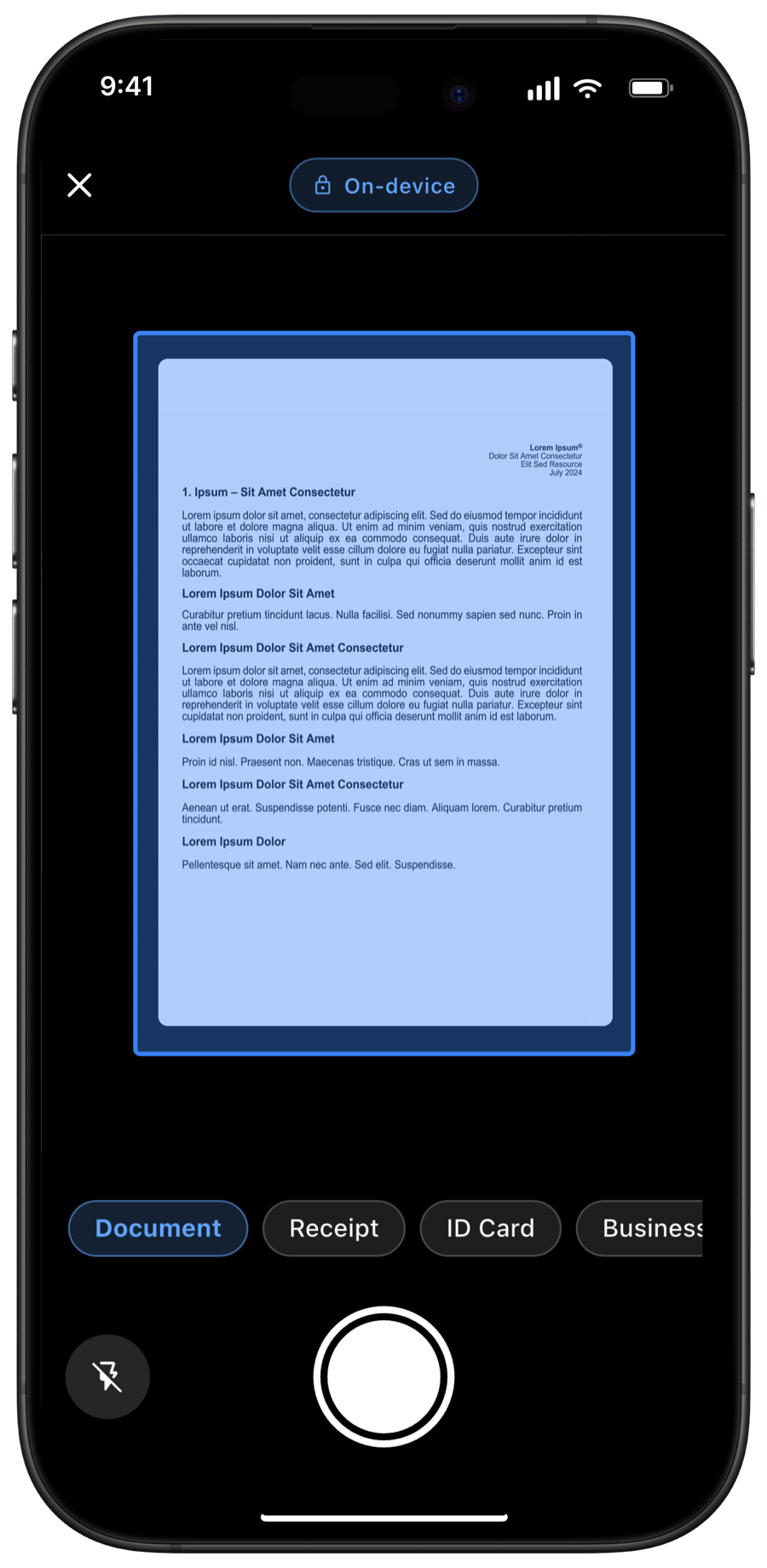
Scan to PDF in seconds.
Point your camera at any document — receipts, contracts, whiteboards. Edges are detected automatically and the page is straightened, cropped, and cleaned into a sharp PDF. Works in airplane mode.
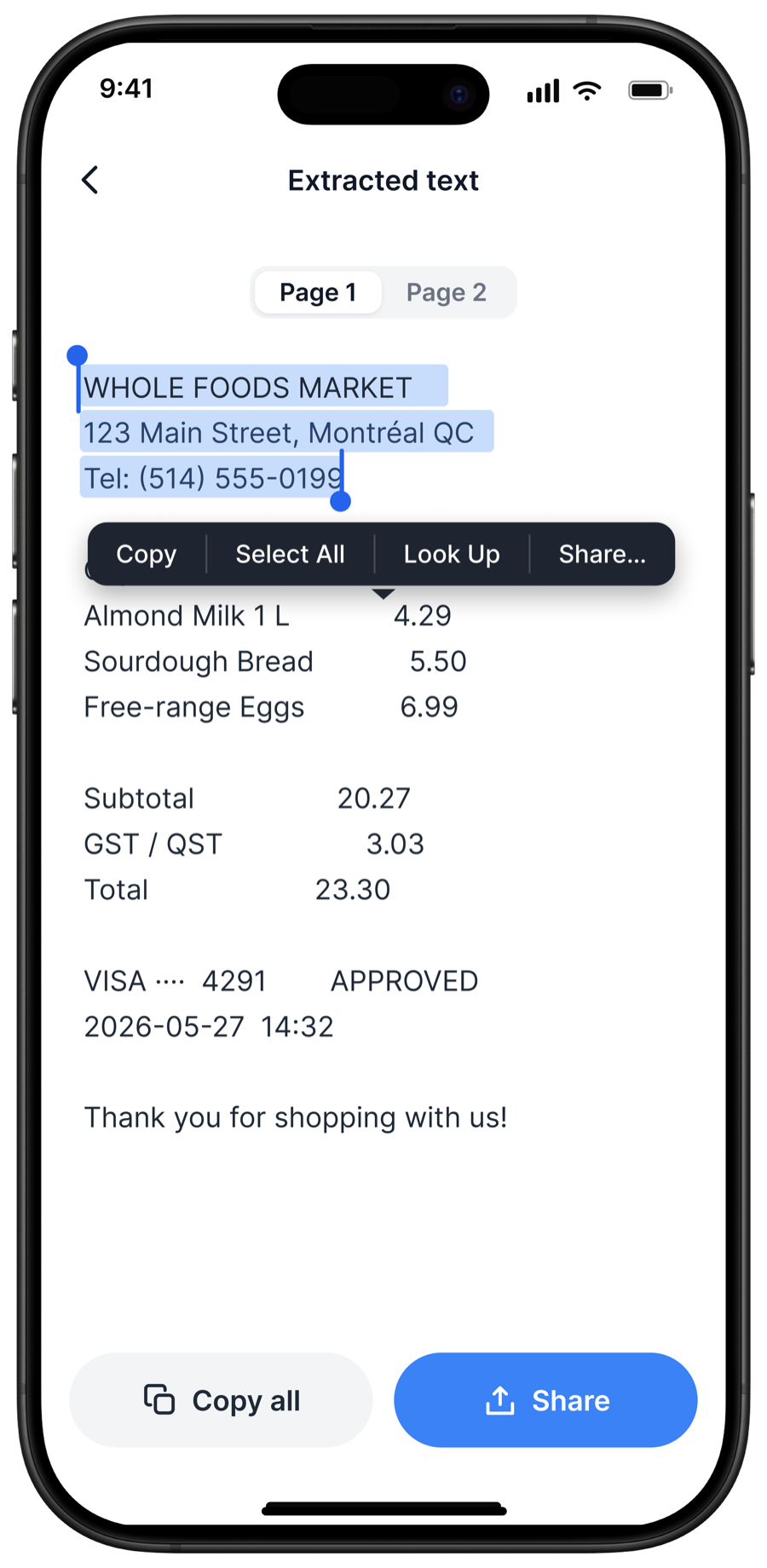
Copy the text off any scan.
On-device OCR reads the text on the page so you can select and copy it straight out — addresses, totals, whole paragraphs. Nothing is uploaded; it all happens on your phone.
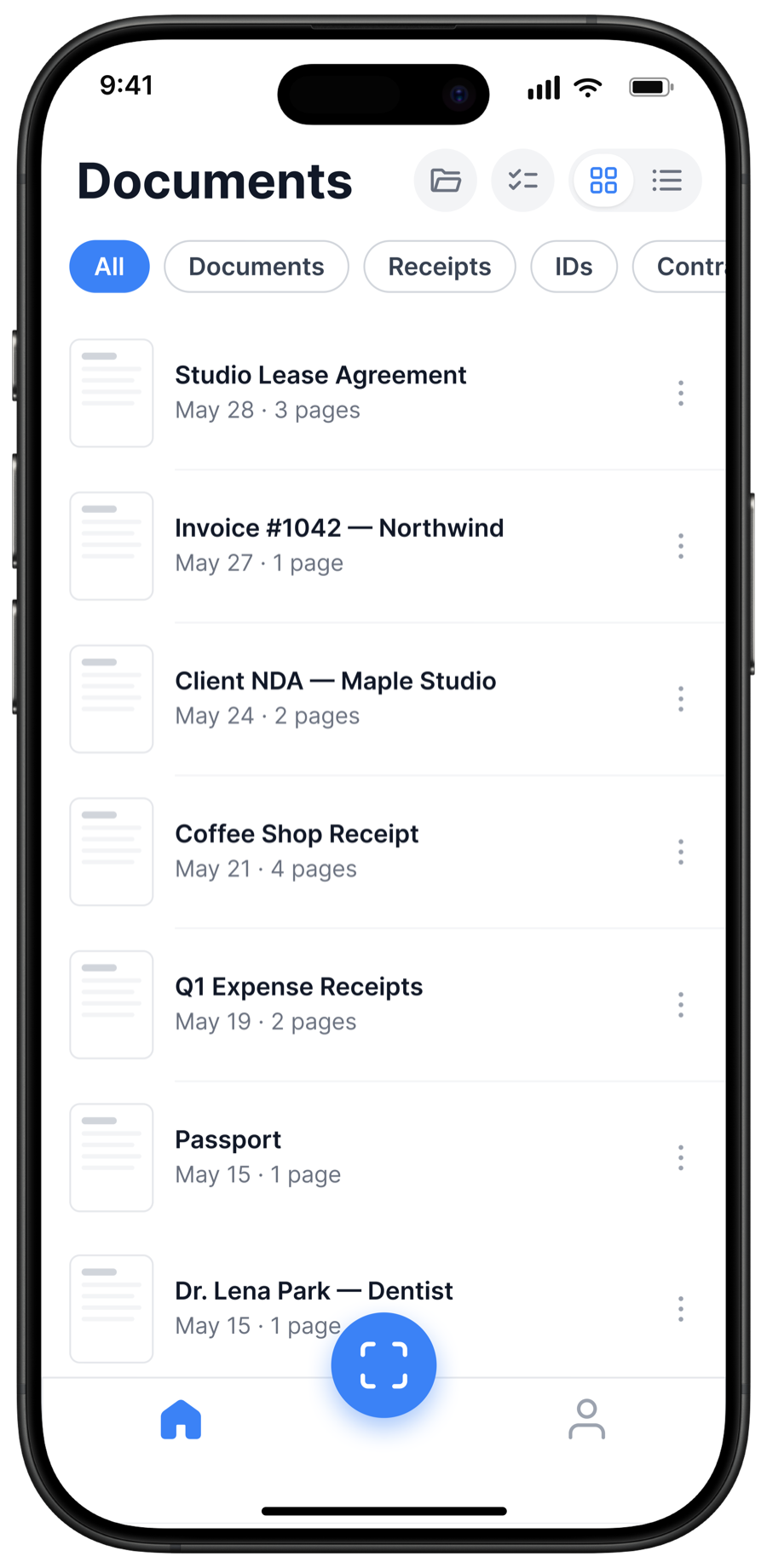
Your documents never leave your phone.
Every scan is stored locally by default — no account required, no cloud relay. You decide what gets shared, and when.
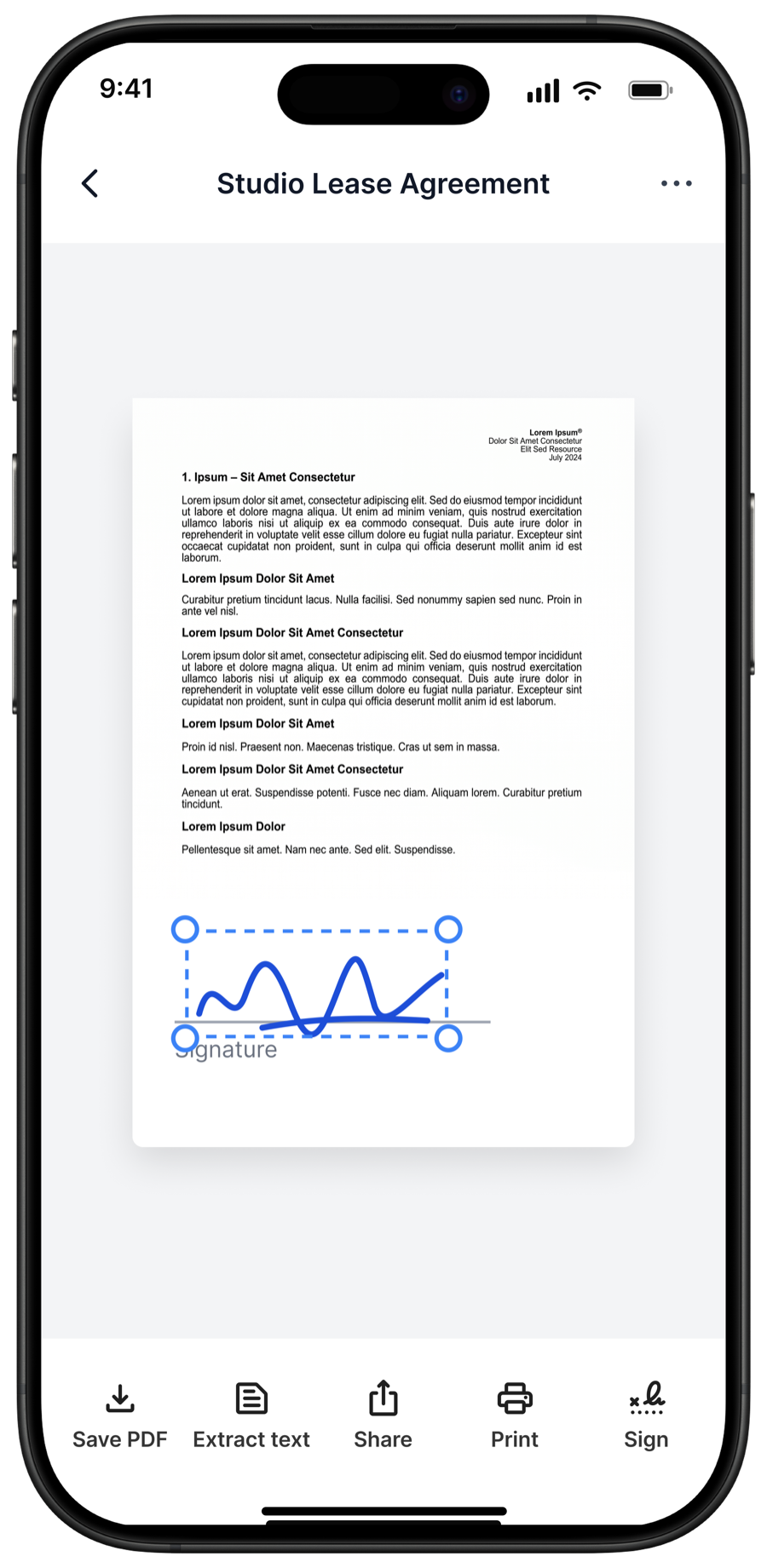
Sign it. Send it. No printer.
Drop your signature onto contracts, leases, and HR forms in seconds, then export a clean PDF and share it anywhere — no printer, no scanner, no desk.
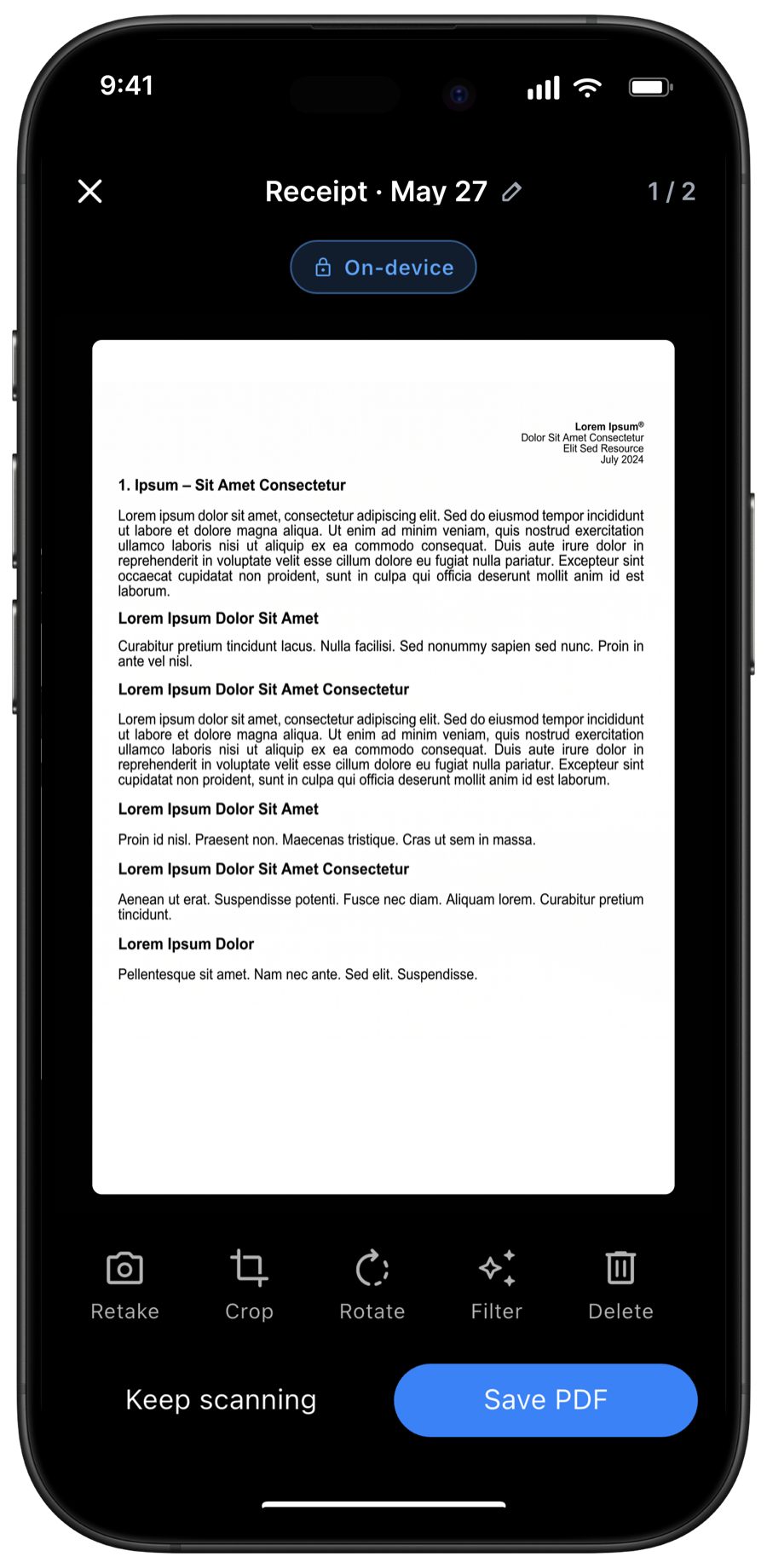
Edit every page before you send.
Reorder, rotate, retake, or delete pages, and tune color and contrast. Get the document exactly right, then save it as one tidy PDF.
How it works
Your documents stay on your phone.
Scan, crop, sign, and copy text in airplane mode — no connection needed.
How a scan becomes a PDF
- 01
Camera capture
Image stays in app sandbox.
- 02
Edge detection
On-device ML crops the page.
- 03
Text extraction
Recognized in-process (on-device OCR). No network.
- 04
Save or share
Local by default. Sync = E2E (v1.1).
Get the app.
Download it on TestFlight for iOS or the Google Play beta for Android.